Description
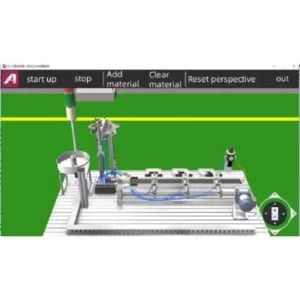
YL-F5 automated production line simulation software is a three-dimensional software for virtual simulation of Yalong YL-335B automatic production line training and assessment equipment. The software simulates the movement process of Yalong YL-335B automatic production line training and assessment equipment. The software mainly includes the training bench, the mechanical parts (feeding unit, conveying unit, processing unit, assembly unit, sorting unit) of Yalong YL-335B automatic production line training and assessment equipment, and built-in various sensor signals, etc. , And simulated the entire movement process of the Yalong YL-335B automatic production line training and assessment equipment. Users can control the operation of 3D simulation objects in the software through international IEC PLC ladder diagrams, Siemens PLC ladder diagrams, SFC sequence flowcharts, etc., and can program and debug automatic production lines.
The YL-F5 automated production line simulation software has three training methods: overall training method, single module training method and custom module training method. In each training method, it can pass the international IEC PLC ladder diagram, Siemens PLC ladder diagram, SFC sequence flow chart, etc. control the operation of the 335B equipment model in the simulation software, so as to achieve different training purposes.
Operating environment requirements
| Minimum configuration | Recommended configuration | |
| operating system | Windows 7、Windows 10 | Windows 7、Windows 10 |
| CPU | Intel Core i5-4460 2.2GHz | Intel Core i7 3770 2.4GHz |
| RAM | 4GB RAM | 8GB RAM |
| Graphics card | Nvdia GeForce GTX760 2GB VRAM | Nvdia GeForce GTX1060 3GB VRAM |
| storage | 2GB free space required | 2GB free space required |
Features
The YL-F5 automatic production line simulation software has 3 training methods: overall training method, single module training method and custom module training method. The overall training method of the software is turned on by default, and other training methods are required as shown in the figure. Training method, please select the corresponding training method in the training method.
- Overall training method
In the overall training mode, the equipment model in the YL-F5 automatic production line simulation software is exactly the same as the actual Yalong YL-335B automatic production line training and assessment equipment. In this mode, you can use any of the international IEC PLC ladder diagrams, Siemens PLC ladder diagrams, SFC sequence flowcharts and other programming software to simulate the passed program, which can be directly downloaded to the actual Zhongyalong YL-335B automatic In the PLC equipped with the production line training and assessment equipment.

Overall training
2. Single module training method
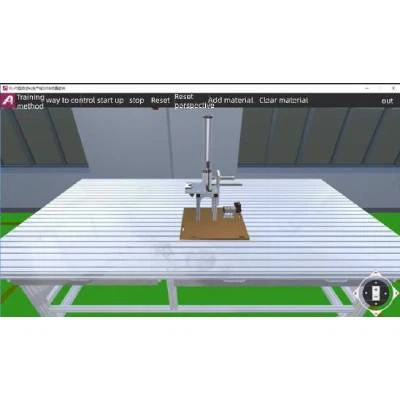
Selecting “Single Module Training” in the “Training Mode” will open the units that need training. According to the actual Yalong YL-335B automatic production line training and assessment equipment, there are 5 training units: For material unit, conveying unit, processing unit, assembly unit and sorting unit, users can choose the corresponding training unit according to their needs.

Feeding unit in single module training
3.custom module training method
Select “Custom Module Training” in the “Training Mode” to enter the custom module training mode. In the custom module training mode, the user defines the location of the feeding unit, processing unit and assembly unit. In this training mode, two methods are provided to customize the positions of the feeding unit, processing unit and assembly unit.

Custom module training